
In practice
Tag-Connect on real boards: photos provided by users, with the footprint used and the matching cable. They show how much space the footprint actually takes and how it sits next to the other components.
Example view. This is how submitted photos are shown here. The two photos below are our own, not from users. Yours could be the first real one — Your board photo on collion.de.

Footprints with and without legs
Same pin count, two styles: with legs the plug holds by itself, without legs it takes less space and needs a clip or grip for lasting connections.
| Footprint | TC2050 with legs and TC2050-NL without legs, side by side |
|---|---|
| Cable | TC2050-IDC · TC2050-IDC-NL |
| Application | Comparing the space needed before laying out your own board |
| Contributor | our own photo |
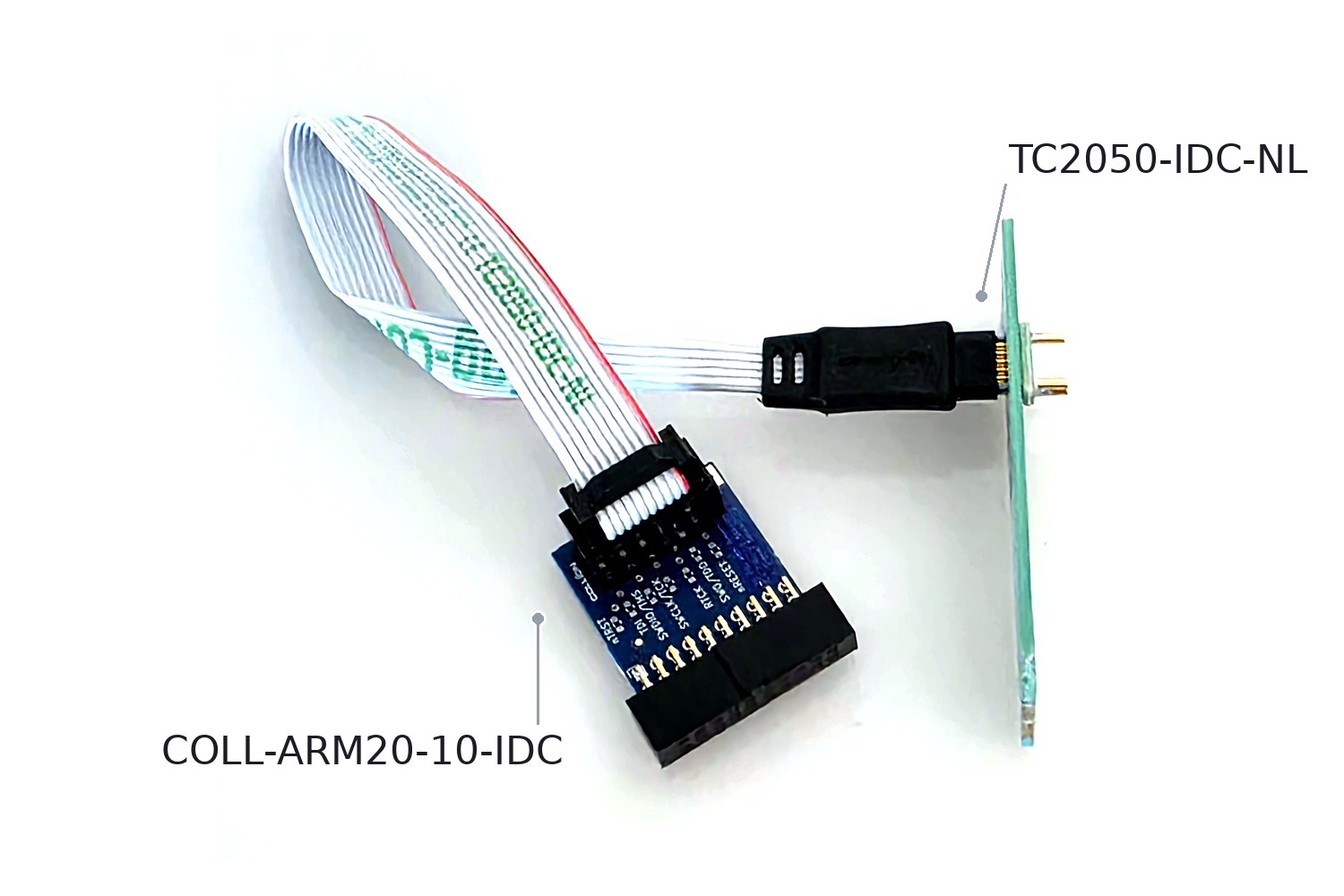
Programming access without a connector
Only the footprint on the board; a debugger with a 20-pin ARM connector joins via the adapter board.
| Footprint | TC2050-NL |
|---|---|
| Cable | TC2050-IDC-NL with COLL-ARM20-10-IDC |
| Application | Debugger with a 20-pin ARM connector on a board without a programming header |
| Contributor | our own photo (TC2050 Evaluation Kit) |